The backend and the page.
One file.
guestbook.pyxl · 33 lines · Python 3.10+ · React 18/19
1· loader runs on the server
2· its return value is the page’s props
3· HTML arrives finished, then hydrates
4· the button calls Python in the same file
1from pydantic import BaseModel2import db34class Entry(BaseModel):5 name: str6 note: str78@server9async def load(request):10 return {"entries": await db.recent(10)}1112@action13async def sign(request, body: Entry):14 await db.add(body.name, body.note)15 return {"entries": await db.recent(10)}16# ← the API layer (one blank line)17export default function Guestbook({ data }) {export default function Guestbook( { data }) {18 const [entries, setEntries] = useState(data.entries) const [entries, setEntries] = useState(data.entries)19 const sign = useAction('sign')20 const submit = async (e) => {21 e.preventDefault()22 const form = Object.fromEntries(new FormData(e.target)) const form = Object.fromEntries( new FormData(e.target))23 const r = await sign(form)24 if (r.ok) setEntries(r.entries)25 }26 return <form onSubmit={submit}>27 <ul>{entries.map(e =>28 <li key={e.id}><b>{e.name}</b> {e.note}</li>)}</ul> <li key={e.id}> <b>{e.name}</b> {e.note}</li>)}</ul>29 <input name="name" placeholder="name" />30 <input name="note" placeholder="note" />31 <button>Sign</button>32 </form>33}- 1· loader runs on the server — line 9
- 2· its return value is the page’s props — line 10
- 3· HTML arrives finished, then hydrates — line 17
- 4· the button calls Python in the same file — line 19
Guestbook
- mira says hi from a FastAPI shop
- deno_fan fine, this is neat
- sam shipped before my coffee cooled
sign it — watch the file run
seed entries are authored · yours are real — stored by this server, shown only to your browser
GET/200—← HTML, finished
LOADload_home()200<0.1 ms← {"entries": […]}
runs .pyxl files in your browser · CPython via Pyodide · ~12 MB once
One request, start to finish.
what the server does, in order — no magic left in the margin
A whole framework, not a trick.
six of 64 documented pages — every cell links to its docs
Routing
pages/
├── index.pyxl          → /
├── layout.pyxl         → wraps children
└── posts/
   └── [slug].pyxl      → /posts/:slug
Files are routes. Brackets are params.
docs →/docs/core-concepts/routing
Streaming SSR
<h1>{data.title}</h1>  {/* shell */}

<Suspense fallback={<p>Loading…</p>}>
  <ActivityFeed />  {/* streams in */}
</Suspense>
HTML streams while Python awaits.
docs →/docs/guides/streaming
Validated actions
@action
async def sign(request, body: Entry): …
// bad input — 422, action never ran
{"ok": false,
"error": "Validation failed",
"fields": {"note": ["Field required"]}}The hero’s Entry model, failing honestly: per-field errors, typed.
docs →/docs/core-concepts/server-actions
Realtime
async with channel(
        ws, f"room:{room}") as live:
    async for text in ws.iter_text():
        await live.publish(text)

const { send } = useWebSocket(
  '/chat/' + room, { onMessage })
The page serves its own WebSocket. Abridged from examples/chat.
docs →/docs/guides/websockets
Auth pluginpyxle-auth 0.4
const { user, isAuthenticated,
        logout } = useAuth()

if (!isAuthenticated)
  return <a href="/login">Sign in</a>
Sliding sessions in HttpOnly cookies; request.user on every loader.
docs →/docs/plugins/pyxle-auth
Studio & debugger
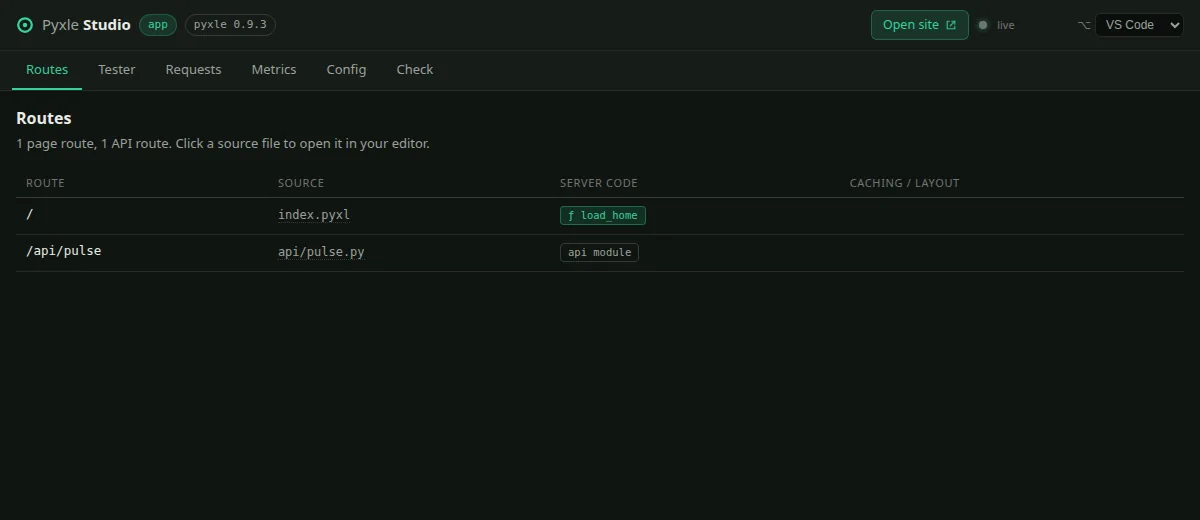
Routes, requests, metrics — and breakpoints in .pyxl files.
docs →/docs/guides/studio
Numbers we can defend.
every figure carries its own test conditions
~2.2×
median per-core SSR throughput vs Next.js
measured July 2026 on Pyxle 0.7.1 · normalized, Next.js = 1.0 · full harness → /benchmarks
FastAPI
parity
raw JSON endpoints
same harness, July 2026 · Pyxle is Starlette underneath
3
apps we run in production
all three below ↓ · click them
Demos, running in production.
click them — they are not screenshots of screenshots
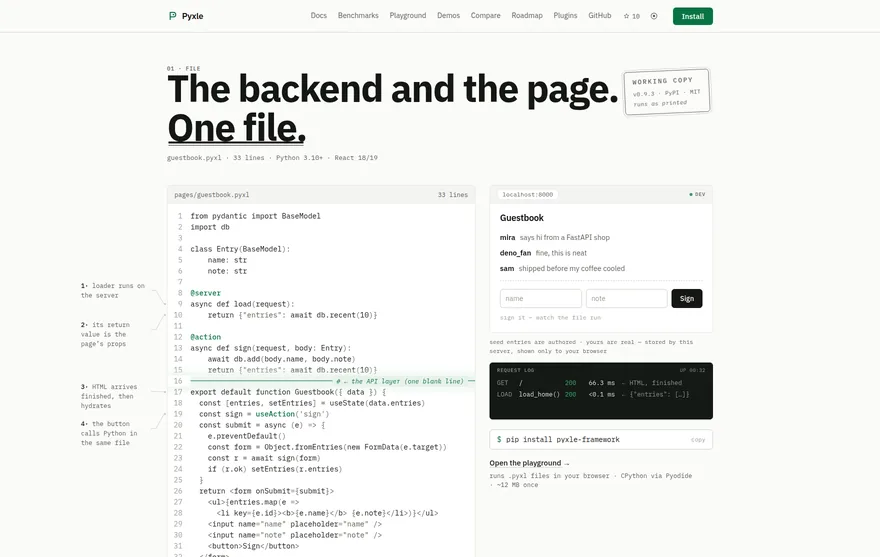

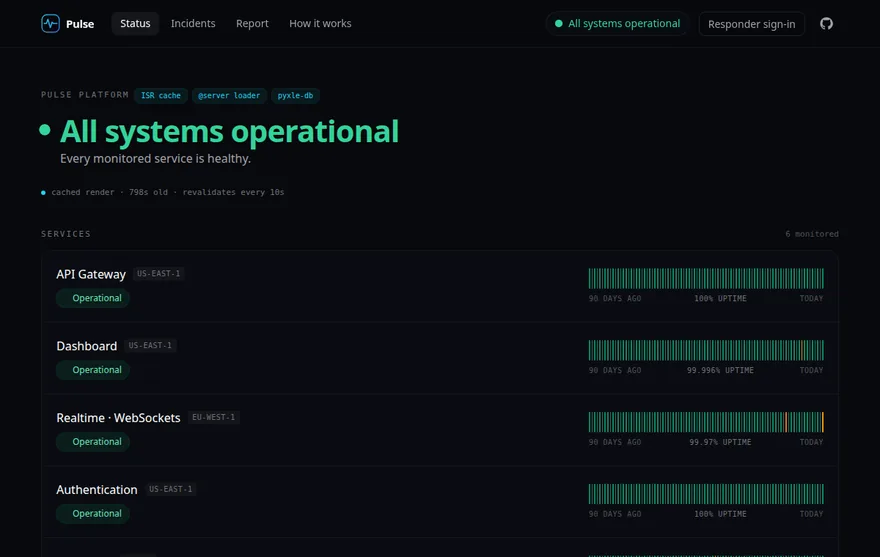
Open source. MIT. Self-hosted. No cloud tax.
There is no logo wall here — Pyxle is weeks past 0.9. What exists is running software: these apps, a playground, 64 pages of docs, and the framework’s source. Kick the tires.
github.com/pyxle-dev/pyxle · ★ 10 · MIT
Three commands to a running app.
the terminal on the right replays a real captured session
$ pip install pyxle-framework
Successfully installed pyxle-framework-0.9.3
  pyxle-langkit-0.3.5 starlette-1.3.1 uvicorn-0.51.0 …
$ pyxle init app
▶️  Creating project — app
✅ Project scaffolded at app
$ cd app && pyxle dev
ℹ️  node_modules/ not found — running 'npm install'
✅ npm install completed
✅ Pyxle dev server ready in 1559 ms
ℹ️    Local:   http://127.0.0.1:8000
ℹ️    Studio:  http://127.0.0.1:8000/__pyxle/studio